Rules and Alerts Release Notes
Release date: June 23, 2026
JupiterOne has rebuilt Rules and Alerts on its modern app foundation. Everything you relied on before is still here, and the rebuild brought a few improvements worth calling out.
What is new
| Change | What it means for you |
|---|---|
| Unified Rules page | Your rules and your firing alerts now share one page with All rules and Alerting tabs - no jumping between separate pages to connect an alert to its rule |
| Single rule detail page | Configuration, alert information, evaluation history, and relationships for a rule now live on one page |
| Jira tickets from live fields | The Create Jira ticket action pulls the real field definitions from your Jira instance, so you pick valid values instead of hand-writing JSON |
| Clearer action preview and test | Previewing and testing an action now opens in a dedicated view with room for the full rendered action and the test result |
| Live evaluation view | The rule detail page shows an evaluation as it runs, in real time |
Rules and alerts now live on one page
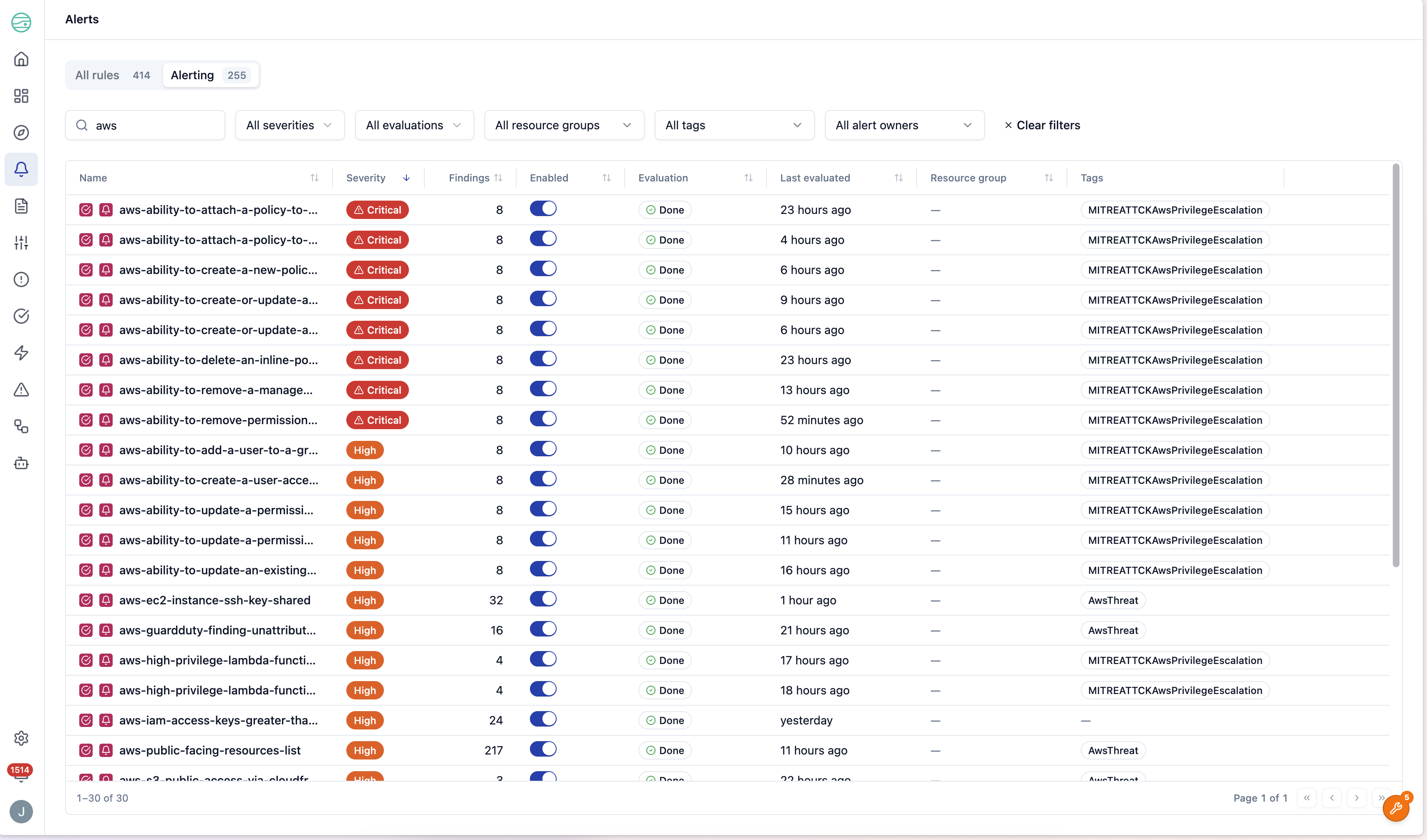
Your rules and your firing alerts now share a single Rules page with two tabs:
- All rules — every rule in your workspace.
- Alerting — only the rules that are currently firing, surfaced highest-severity first.
Each firing rule sits right alongside its alert, so you can see what's alerting and why without jumping between separate pages.
A single rule detail page
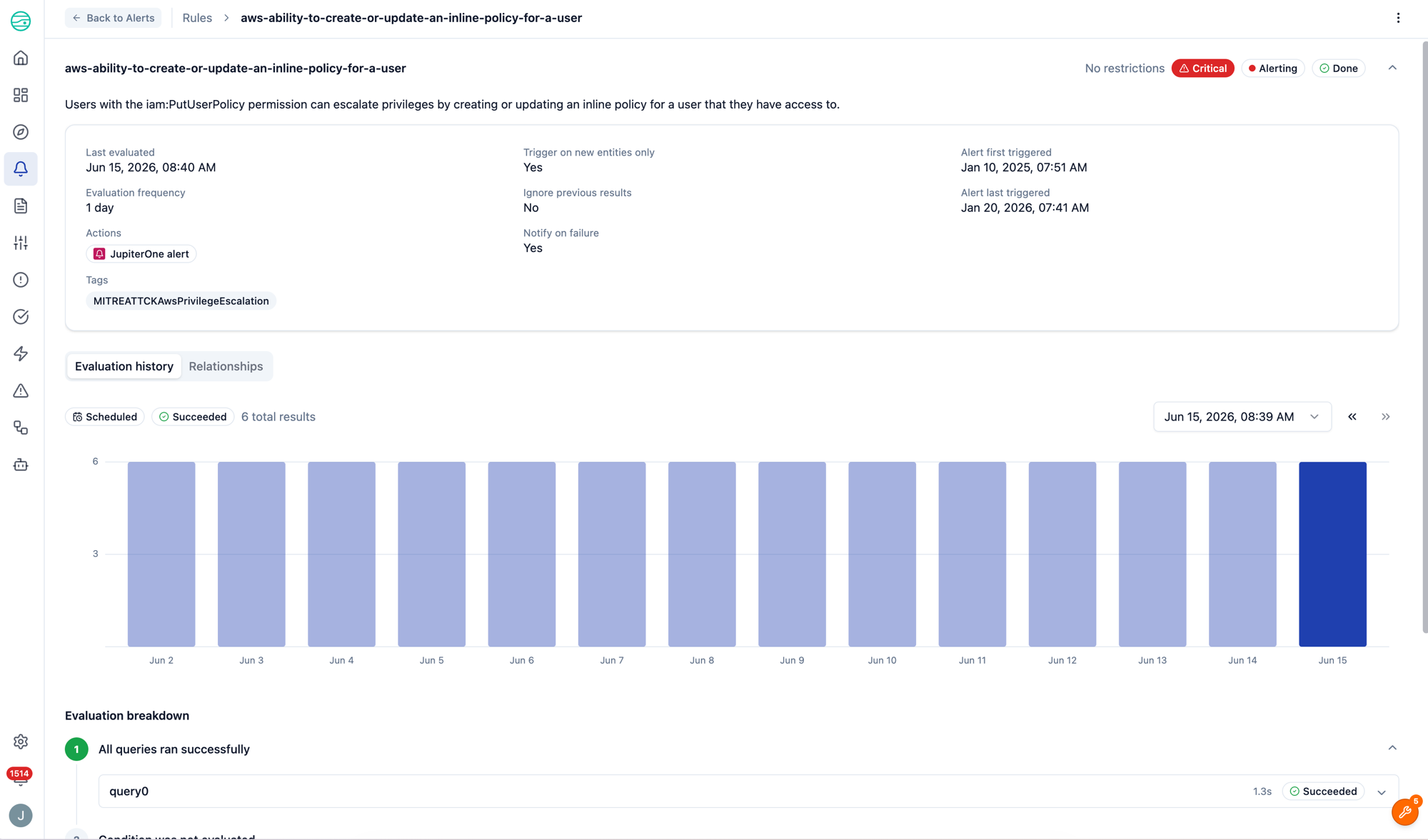
Every rule now has one detail page that brings its configuration, alert information, evaluation history, and relationships together in one place. When a rule is firing, its alert details sit right alongside the rule itself, so you no longer have to move between a separate alert view and the rule that produced it.
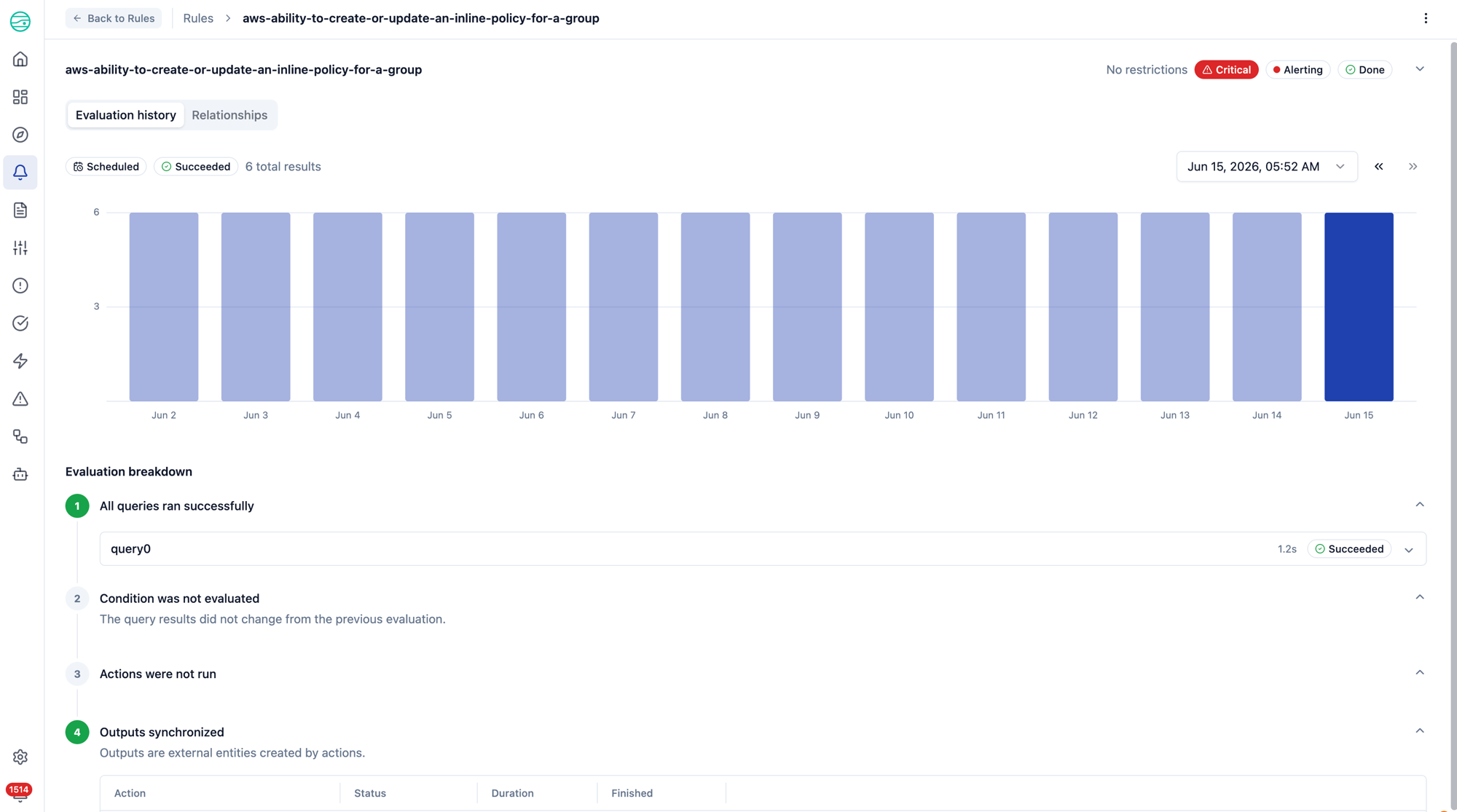
The Evaluation history tab shows results over time as a chart you can click through run by run. For any run, you can drill into the breakdown — queries (with downloadable result tables), conditions, actions, and outputs — and open the full logs for any action that ran.
You can also collapse the summary at the top of the page to give the evaluation details more room. When you're focused on a specific run's breakdown, collapse the rule configuration and alert summary to bring the chart and step-by-step breakdown front and center.
Build Jira tickets from real Jira fields
When you configure a Create Jira ticket action, the editor now pulls the live field definitions from your Jira instance for the issue type you choose. Instead of hand-writing JSON, you pick from the actual options that issue type accepts — dropdowns for single-select fields, checklists for multi-select fields, and text or number inputs for the rest.
This means the values you set are real and valid up front, with far less guesswork.
If a field can't be loaded — for example, the connected Jira account lacks the required permission, or the instance isn't Jira Cloud — the editor tells you why and you can still set additional fields as JSON.
A clearer way to preview and test actions
Previewing and testing an action while building a rule isn't new — but it now opens in a dedicated view that's much easier to read and work with.
- Preview renders the action's template against a small sample of your rule's real query results — so you can confirm the message, ticket, or payload looks right with live data filled in.
- Test executes the action against its live integration with that sample data and reports success or the failure reason. Test is available for webhook, Jira, and Slack actions.
Open it from Preview on the action you're editing. The view has room for the full rendered action and the test result, and closing it returns you to your configuration where you left it.
Watch an evaluation run live
When a rule is evaluating — whether you just selected Evaluate now or a scheduled run is underway — the rule detail page shows the evaluation happening in real time. Instead of a static page you have to refresh, you'll see a live indicator and placeholder steps that fill in as the run progresses, then settle into the completed results when it finishes.