Assets Release Notes
Release date: July 7, 2026
JupiterOne has rebuilt Assets on its modern app foundation. Everything you relied on before is still here, and the rebuild brought a few improvements worth calling out.
What is new
| Change | What it means for you |
|---|---|
| Smart Classes in the class list | Your Smart Classes now appear alongside your other classes on the Assets page - no separate place to look |
| Critical assets are a Smart Class | The critical asset toggle is replaced by the CriticalAsset Smart Class, so criticality works like any other Smart Class |
| Open a Smart Class to see its results | Clicking a Smart Class opens the results of its query; editing it happens in a modal so you keep your place |
| Filters at the top of entity pages | On entity pages, the filters now sit at the top where they're easy to find |
Smart Classes live alongside your classes
Your Smart Classes now show up in the same list of classes on the Assets page as the rest of your classes. Instead of treating Smart Classes as a separate area, you browse them right next to your other classes — one list, one place to look.
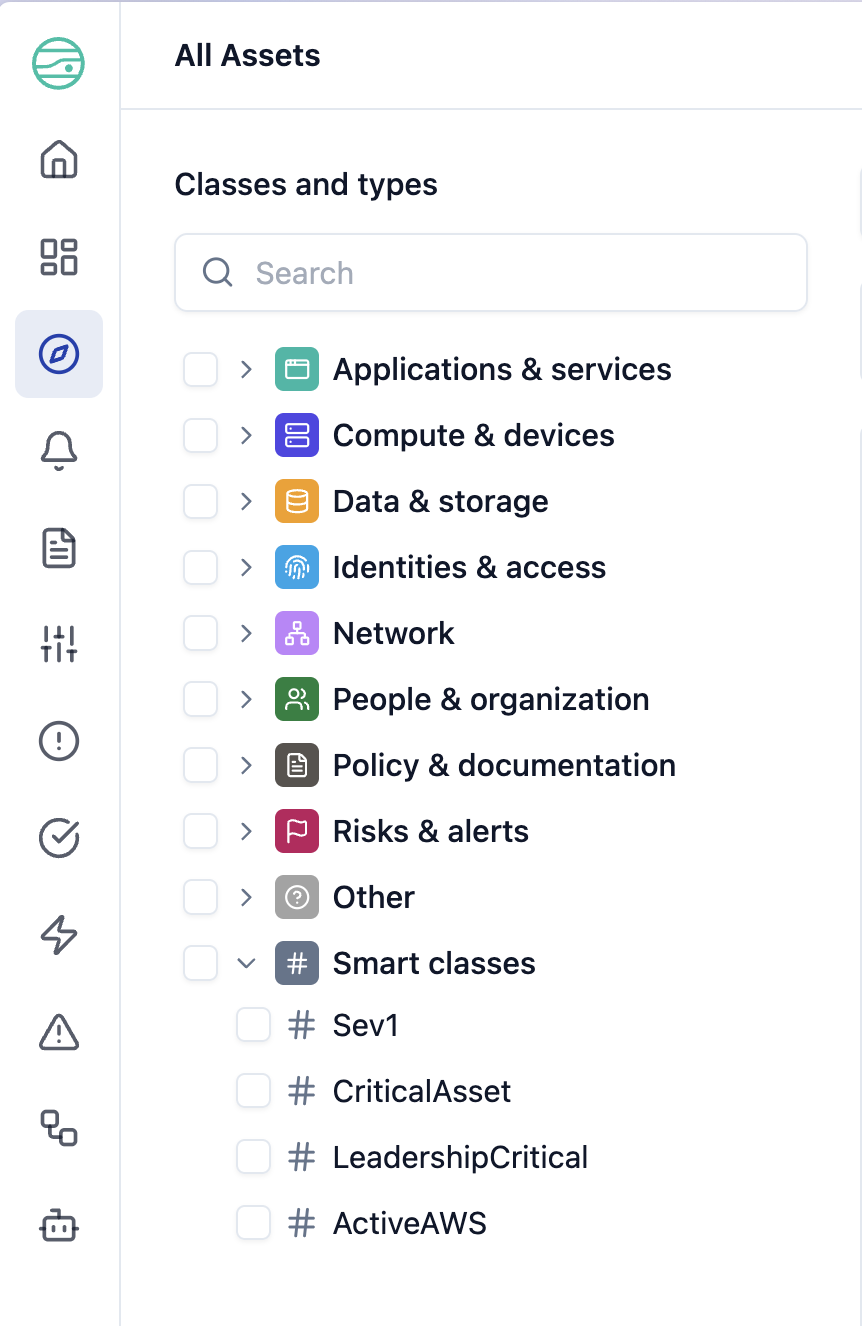
Critical assets are now a Smart Class
The standalone critical asset toggle has been replaced by a CriticalAsset Smart Class.
Criticality is now expressed the same way as any other Smart Class, so you define and
query it with the same tools you already use for the rest of your Smart Classes.
Open a Smart Class to see its results
Clicking a Smart Class in the list opens the results of its query, so you go straight to the assets it captures. To make changes, click the Edit button that appears on the Smart Class row — it opens in a modal over your list, so you can adjust it and close it to land exactly where you left off.
Filters where you expect them
On entity pages, the filters now sit at the top of the page. Narrowing down your assets starts right where you're looking, so it's quicker to find what you need.